Agreements: retainers, service contracts and other recurring fees, billed every period
Many client relationships include a fixed fee that comes back every month, quarter or year: a retainer, a service or support contract, a maintenance agreement. Add it to the client once as an agreement, and Hourtick puts it on the client's invoice every period, next to the hours, and counts it in your revenue.
- Step 1
Add it once
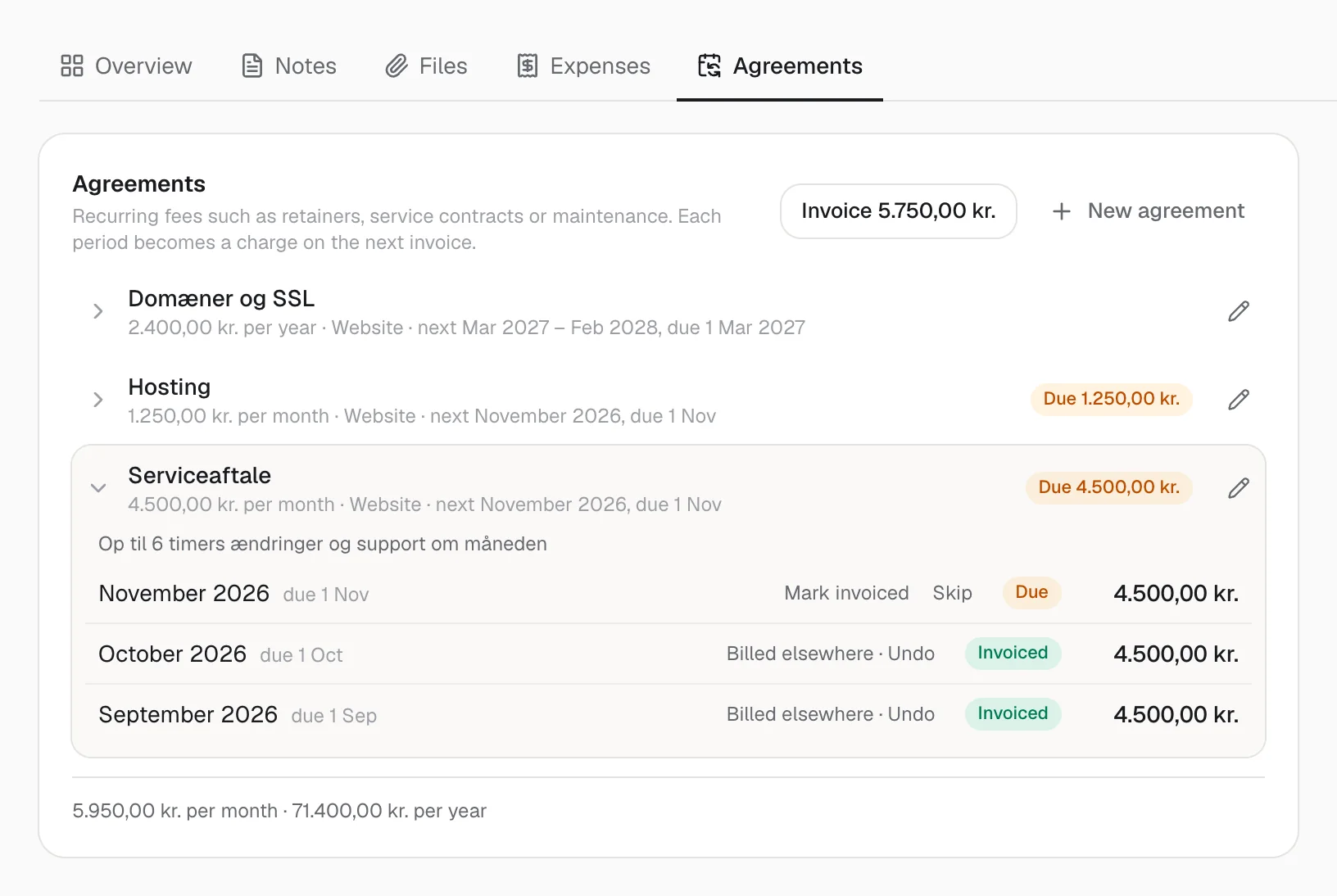
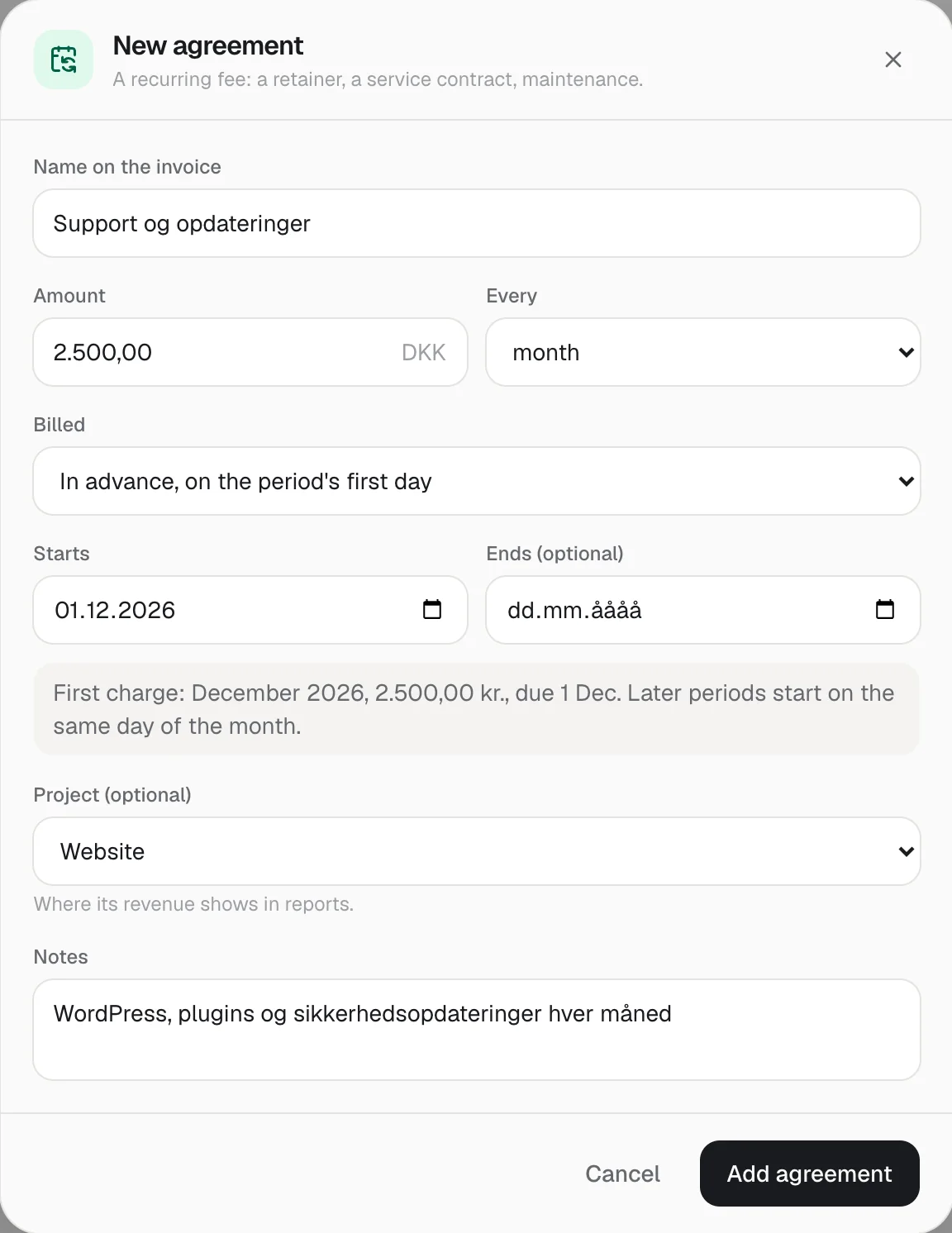
In the client's Agreements tab under Projects, add the fee: what the invoice should say, the amount, how often, and the day it starts.
- Step 2
Every period, a charge
When a period starts, Hourtick makes its charge. Admins get a notification the day it falls due.
- Step 3
On the next invoice
Due charges go on the client's invoice next to the hours. Billing elsewhere? Mark them billed, or skip a month.
Fixed fees and hours, one invoice
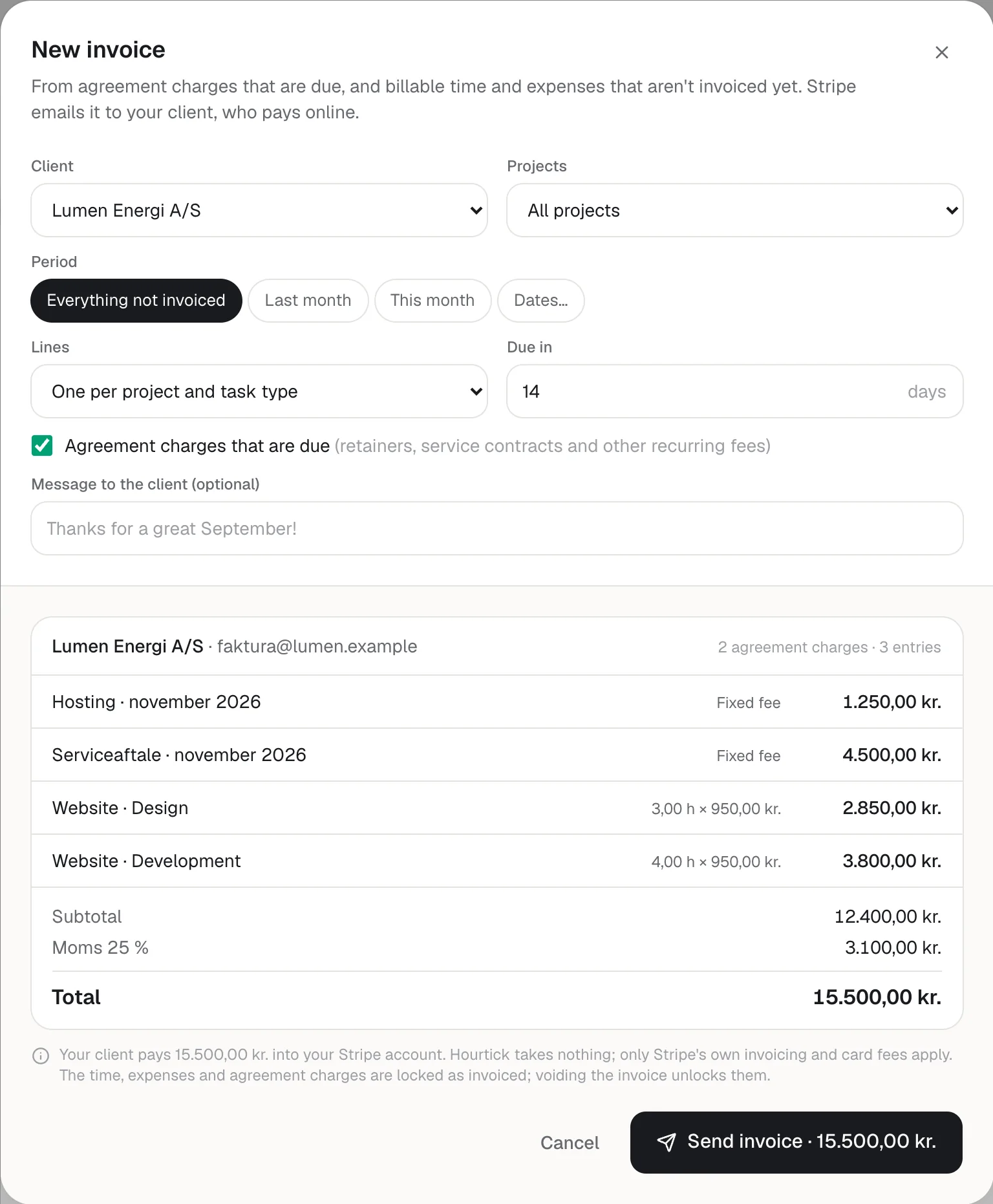
New invoice picks up every charge that's due, as a line named after the agreement and the period, like Serviceaftale · November 2026, ahead of the time and expenses. Sending locks them, so a month is never billed twice; voiding the invoice frees them again.
Agreements billed in advance fall due on the period's first day; billed in arrears, the day after it ends. A new price applies from the next charge, and pausing an agreement never bills the paused months afterwards.
API and MCP
Ask your AI assistant what's due
list_agreements, create_agreement, update_agreement and update_agreement_charge work from Claude, ChatGPT or any MCP client, and the same operations are in the REST API.
Developer docs→ list_agreements
{ "client": "Lumen Energi A/S" }
←
3 active · 5950.00 DKK per month (71400.00 DKK per year) · due now 5750.00 DKK (2)
Due, not invoiced: Hosting · November 2026 · 1250.00 DKK; Serviceaftale · November 2026 · 4500.00 DKK
→ create_agreement
{ "client": "Havbro Energi A/S", "name": "Support", "amount": 2500, "interval": "month", "startsOn": "2026-12-01" }
←
Added: Havbro Energi A/S · Support · 2500.00 DKK per month, in advance · from 2026-12-01 · next December 2026
Real screenshots of Hourtick, from a demo workspace. The clients are made up.
What's new
- Add an agreement once, in the client's Agreements tab under Projects: what the invoice should say, the amount, how often (every month, quarter, six months or year) and when it starts
- Use it for any recurring arrangement with a client: a monthly retainer, a service or support contract, maintenance, a licence or a fixed subscription
- Each period becomes a charge by itself, and admins get a notification the day it falls due, so no period is forgotten
- New invoice adds what's due as its own lines, named after the agreement and the period, next to the hours and expenses
- Bill in advance, at the start of each period, or in arrears, when the period has ended
- Invoice from your accounting system? Mark a charge as billed there, or skip a period you don't bill
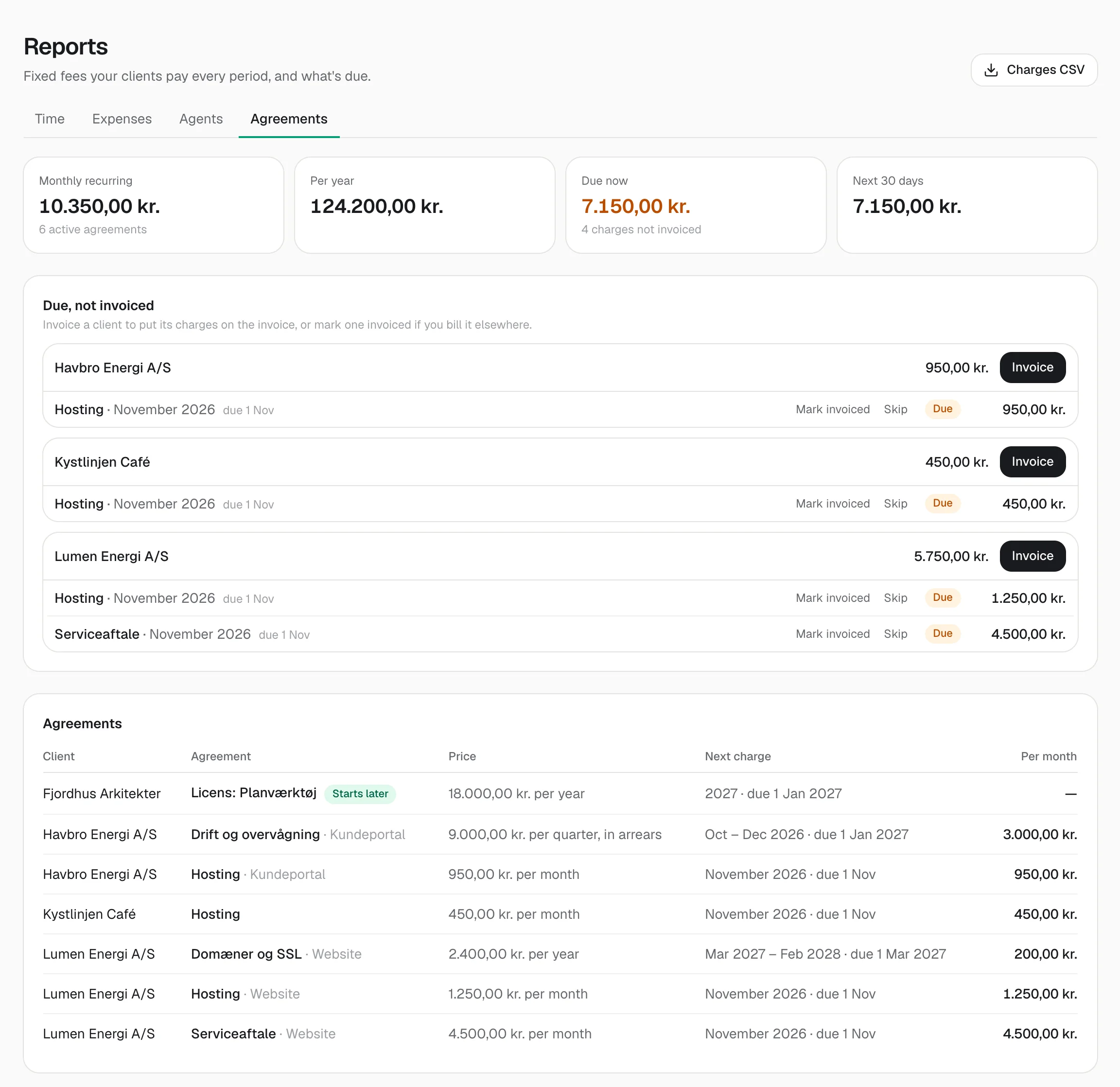
- Reports → Agreements shows monthly and yearly recurring revenue, what each client owes now and what's coming in the next 30 days
- Your P&L includes agreements, with a yearly fee spread over its twelve months
- Your AI assistant can list, add and change agreements over MCP, and the REST API has them too
Hours are only part of what you bill. Many client relationships also come with a fixed fee on a schedule: a monthly retainer, a service or support contract, a maintenance agreement, a yearly licence. Until now those lived in a calendar reminder or a spreadsheet next to Hourtick. Now they live on the client. Open the client under Projects, go to its Agreements tab next to Expenses, choose New agreement, and give it the name the invoice should say, the amount, how often, and the day it starts. Hourtick works out the periods from there: an agreement that starts on the 1st follows the calendar months, and one that starts on the 15th runs from the 15th to the 14th.
When a period starts, its charge is made, and when it falls due, admins get a notification. With Stripe connected, the client's next invoice picks up every charge that's due, each as its own line ahead of the hours and expenses, in the client's language. Sending locks the charges, so a period can't be billed twice, and voiding the invoice frees them again. If you invoice from your accounting system instead, mark a charge as billed there, or skip a period you're not billing. A new price applies from the next charge that isn't due yet, an end date stops the agreement, and pausing it never bills the paused periods afterwards.
Reports has a new Agreements tab: what your clients pay every month and every year, what's due now per client with an Invoice button, what's coming in the next 30 days, and every agreement with its next charge. The time report's revenue includes agreements too, and a yearly fee counts a little in each month instead of all at once. Agreements are for admins, and for AI agents an admin allows; an assistant can ask list_agreements what's due and add the next agreement for you. Like everything in Hourtick, agreements are on every plan.
More in Billing
Track your first hour in a minute.
Free for your whole team, forever. Every feature included.