Platforms
Hourtick, wherever you work.
The full app for Mac in its own window, a timer next to your clock, an iPhone app on its way, any browser, and AI agents that work with your team. One account, always in sync.
New · The Hourtick app for Mac
Everything in Hourtick, in its own Mac window.
Timesheets, tasks, team chat, AI agents and reports, without hunting for a browser tab. It keeps itself up to date and opens right where you left off.
Signed and notarized by Apple
Free · Apple silicon · macOS 13 or later · version 0.1.3 · 3 MB
Its own window and Dock icon
Timesheets, tasks, chat and reports without a browser tab to lose. ⌘-Tab straight to it.
Updates itself
New versions download in the background. Restart when it suits you, or right away.
Sign in with Google or email
Google sign-in opens your browser once, then you're in. Your session stays in the app.
Small and fast
Uses the WebKit built into macOS, no bundled browser. A few megabytes, not a hundred.
Plays well with your Mac
Links open in your browser, downloads land in Downloads, and the usual shortcuts just work.
Signed and notarized
Signed by WeCode A/S and notarized by Apple, so it opens without warnings.
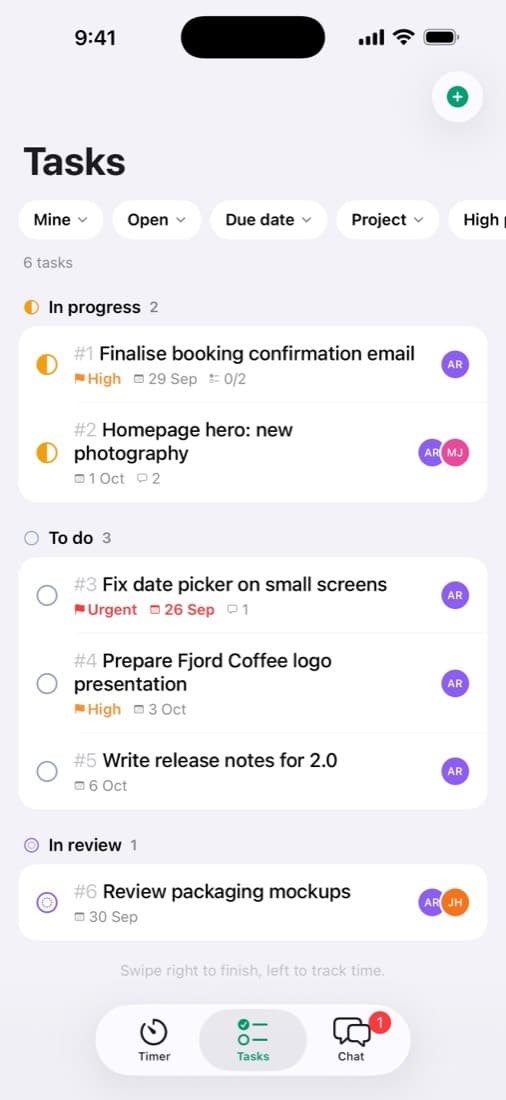
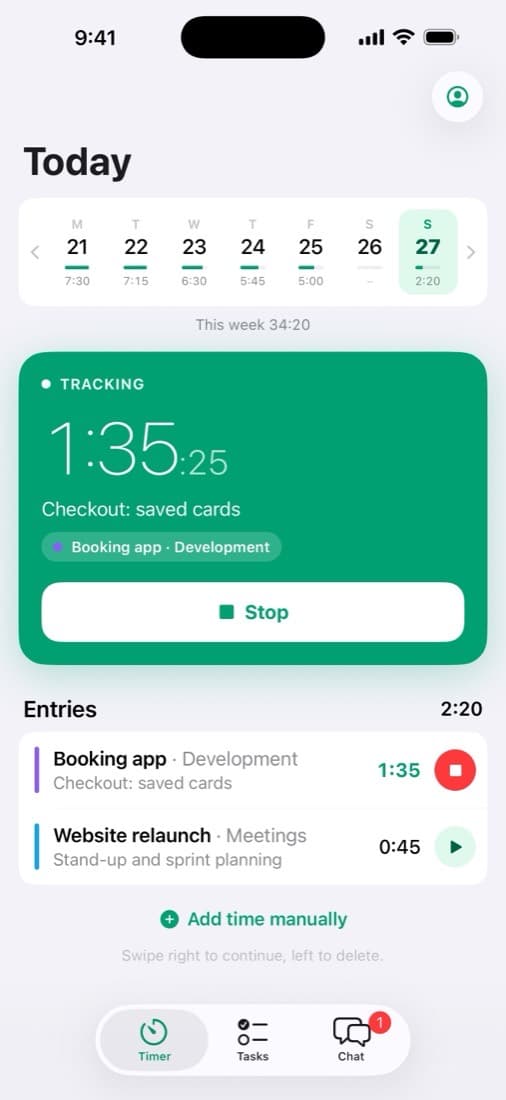
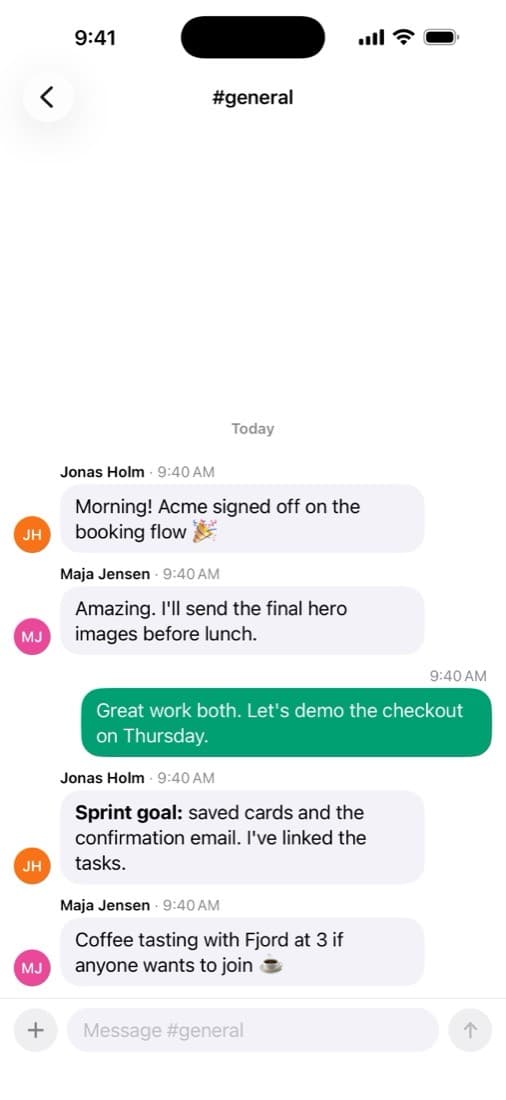
Coming soon · Hourtick for iPhone
Your timer, tasks and team chat, in your pocket.
Start a timer in one tap, move tasks forward and keep up with your team and your AI agents, wherever you are. It's being tested now and is in App Store review.
Free · Sign in with Apple, Google or email · Data in the EU, files in the EU or US
A timer that works offline
Start on the train, stop on the plane. It syncs the moment you're back online.
Chat that opens instantly
Channels, DMs and threads, with your AI agents in the conversation.
Photos and files on tasks
Straight from your camera or library, onto the task or into the chat.
Notifications that matter
Direct messages, mentions, replies and new assignments. Nothing else.
Web
Any browser, any computer.
Hourtick runs in Safari, Chrome, Firefox and Edge on Mac, Windows, Linux and phones. Everything syncs live between your devices, and timers keep working offline.
Open Hourtick in your browserAI agents
Your AI, on the team.
Connect Claude, ChatGPT, Codex, Grok, Muse or any MCP client to start timers, work with tasks and chat. Or add AI agents your team can hand work to, and bill their time like anyone's.
Which should I use?
| If you want… | Use |
|---|---|
| Everything in one place, in its own window | Hourtick |
| To see and switch the timer without opening anything | Hourtick Timer |
| Both | Both: they share your account and stay in sync |
| Your timer, tasks and chat on the go | iPhone (soon); your phone's browser today |
| Windows, Linux or an Intel Mac | Web |
| Your AI to track time or do the work | AI assistants and agents (MCP) |
Frequently asked questions
What's the difference between Hourtick and Hourtick Timer?
Hourtick is the whole app (timesheets, tasks, chat, reports, settings) in its own window. Hourtick Timer is a tiny companion that shows the running time next to your clock and starts or stops with ⌃⌥S. Many people use both.
Do they cost anything?
No. Both Mac apps, the web app and the API are included on every plan.
Which Macs are supported?
Macs with Apple silicon (M1 or newer) on macOS 13 Ventura or later. On an Intel Mac, use Hourtick in Safari, Chrome, Firefox or Edge.
How do updates work?
Both apps check for updates when it starts and every few hours. It downloads them in the background and asks you to restart; you can also choose Check for Updates… in the Hourtick menu.
Is there a phone app?
An iPhone app is coming soon: it's being tested now and is in App Store review. Until then, Hourtick works in the browser on any phone.
Is there a Windows app?
Not yet. Hourtick works in any modern browser on Windows and Linux.
Can AI assistants use Hourtick?
Yes. Connect Claude, ChatGPT, Codex, Grok, Muse, Cursor or any MCP client to track time, work with tasks and chat, or add AI agents your team can hand work to.
Track your first hour in a minute.
Free for your whole team, forever. $29/month when you need 5 GB.