Expenses with receipts, from the menu bar to the invoice
Record what you spend on a client's work while you're doing it: the train ticket, the hotel night, the prints. Add it from the Mac menu bar timer with a photo of the receipt, see it on the project and in Reports, and pass billable expenses on at cost on your next invoice, with every receipt attached for the client.
- Step 1
Add it while you work
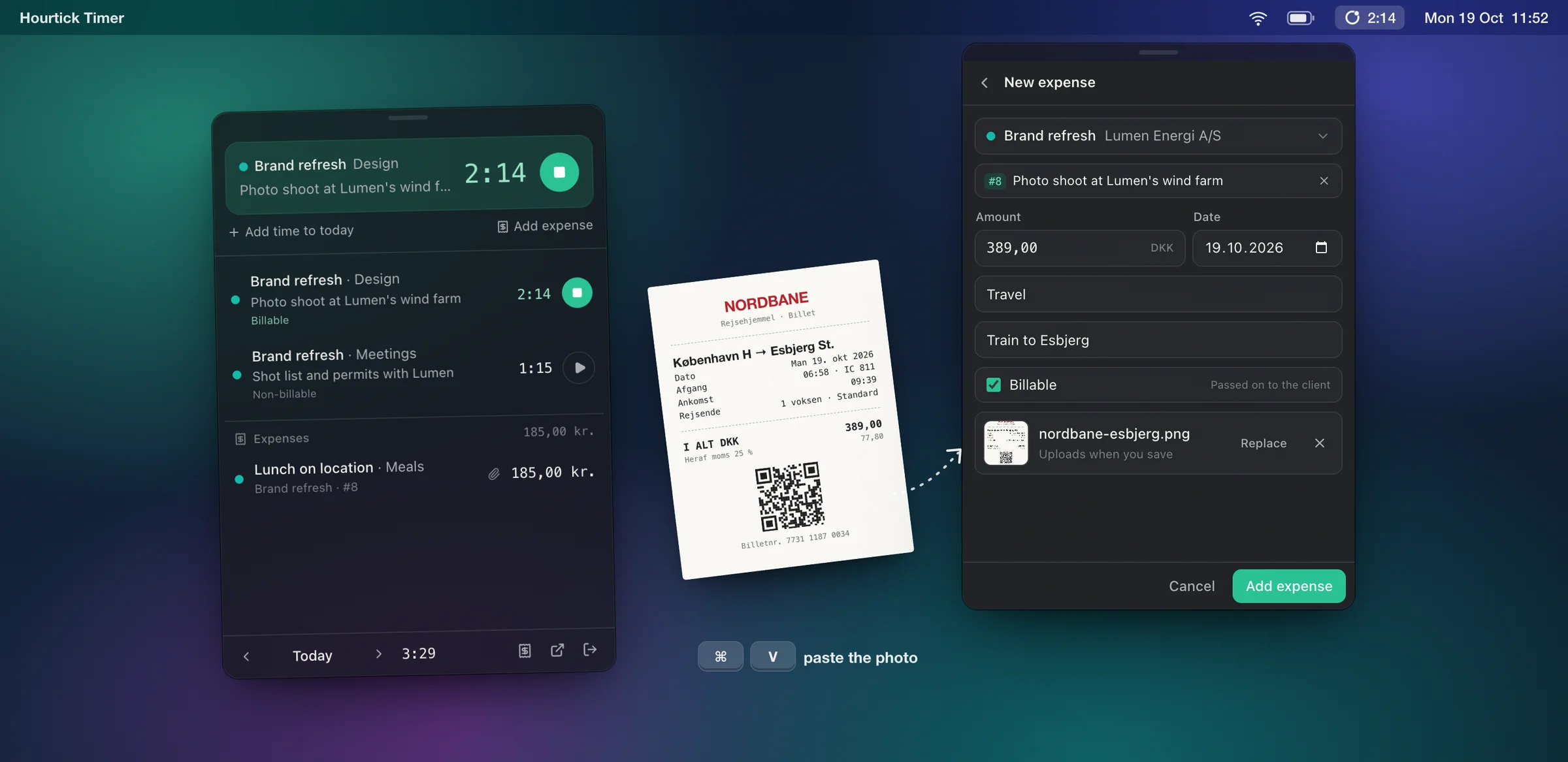
In the menu bar timer, Add expense starts from what you're tracking. Paste a photo of the receipt with ⌘V, or pick a photo or PDF.
- Step 2
It lands where it belongs
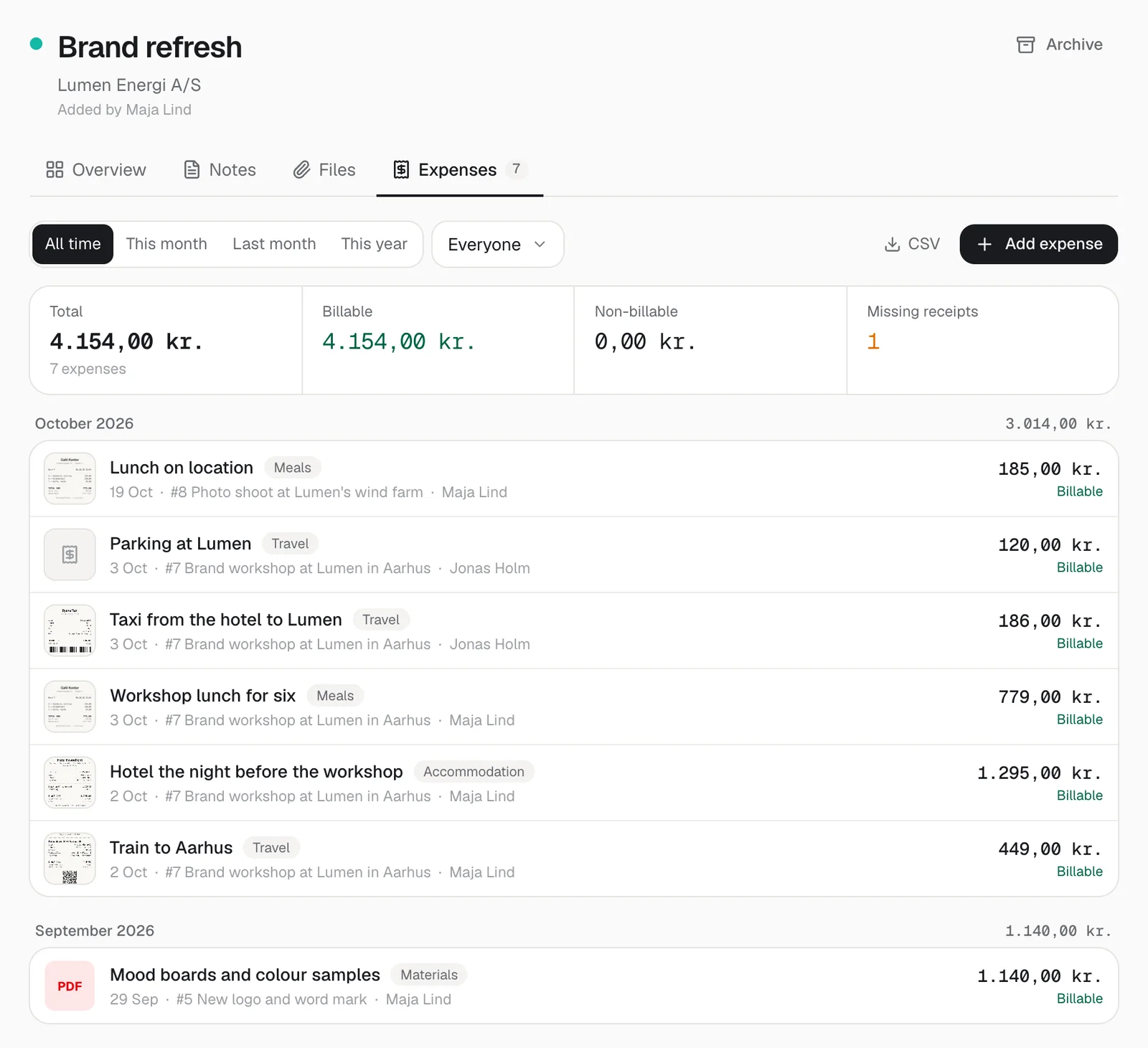
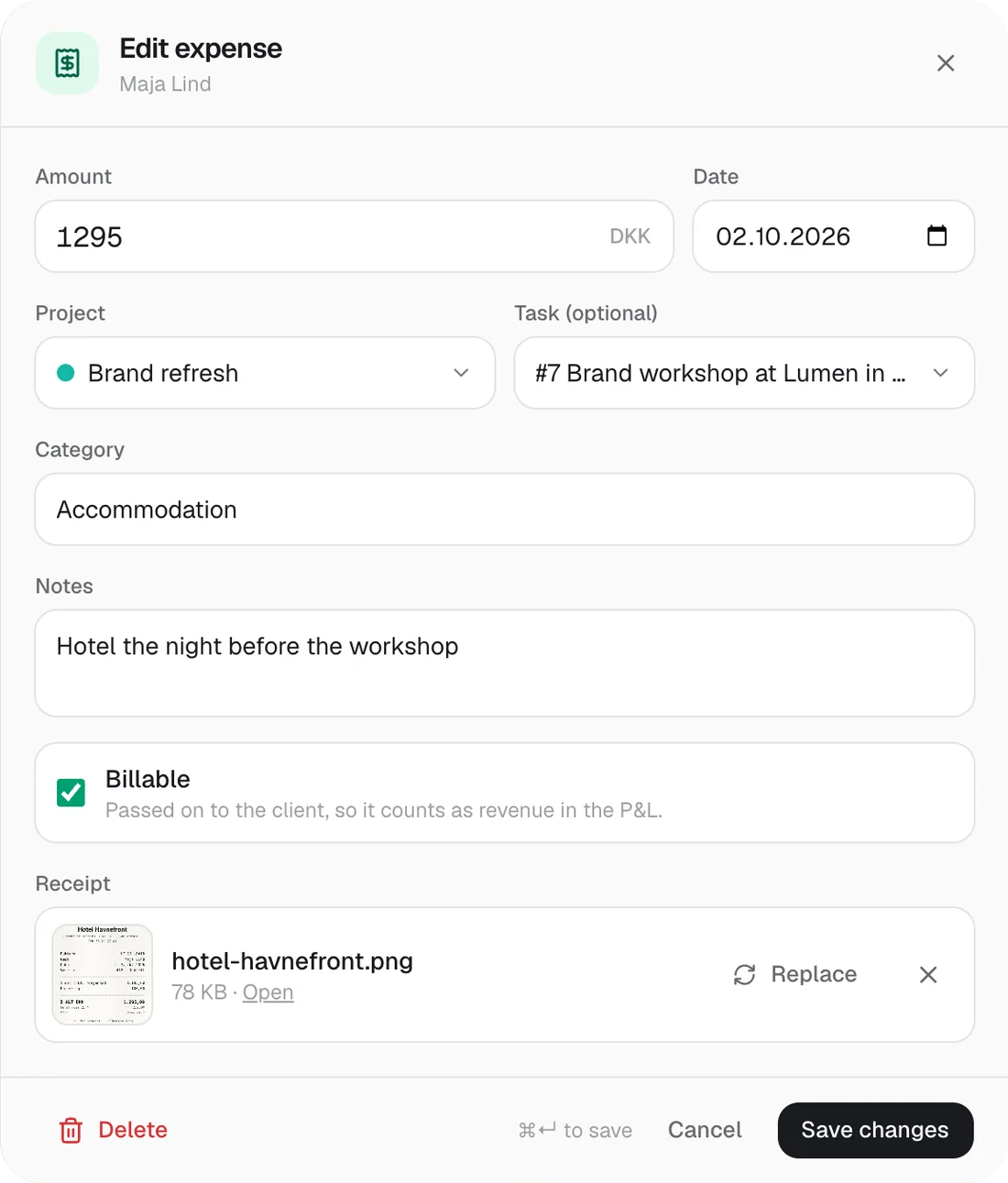
On the project and the task, with the category, a note and who paid. Managers see the whole team's, members their own.
- Step 3
Bill it at cost
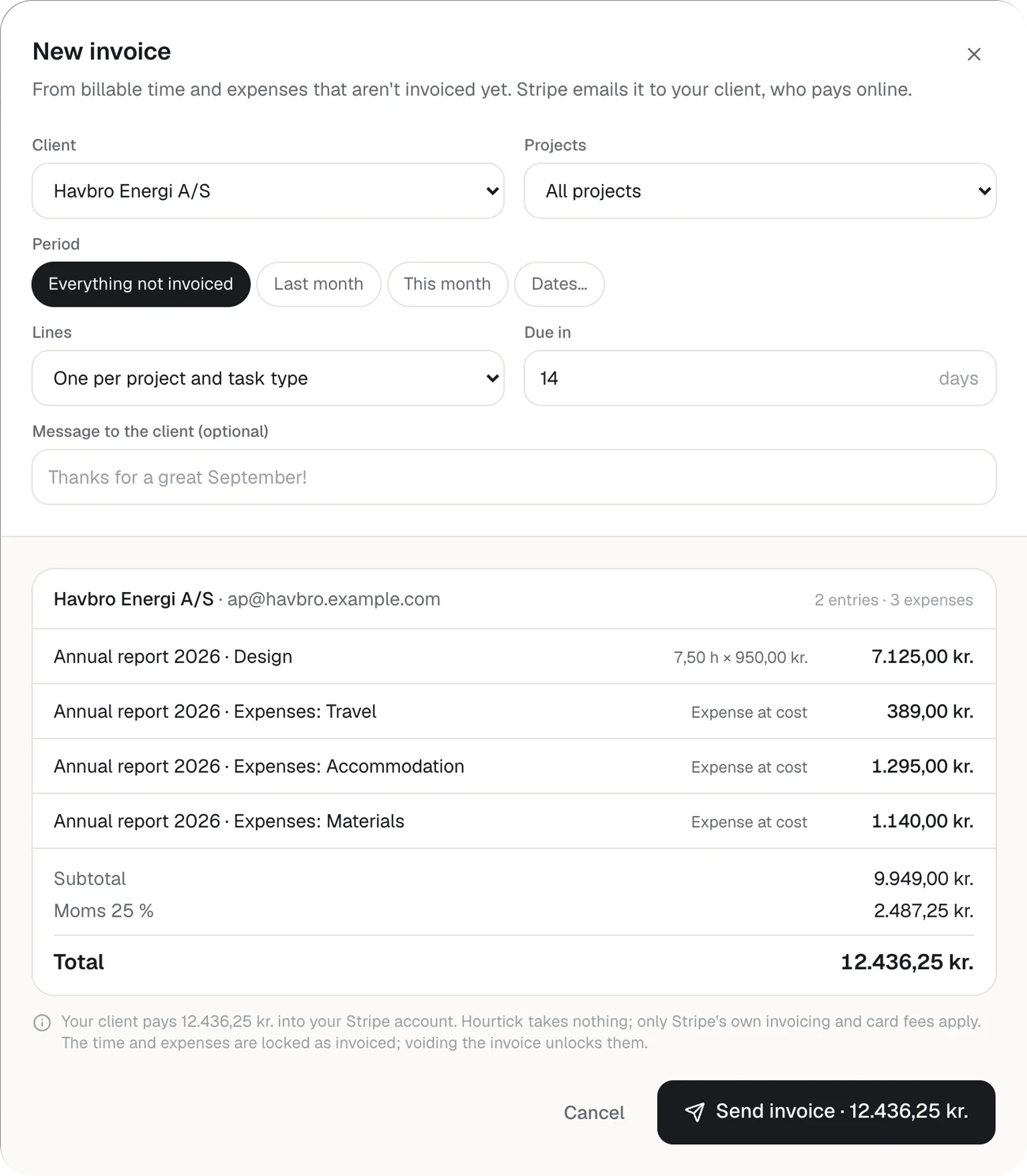
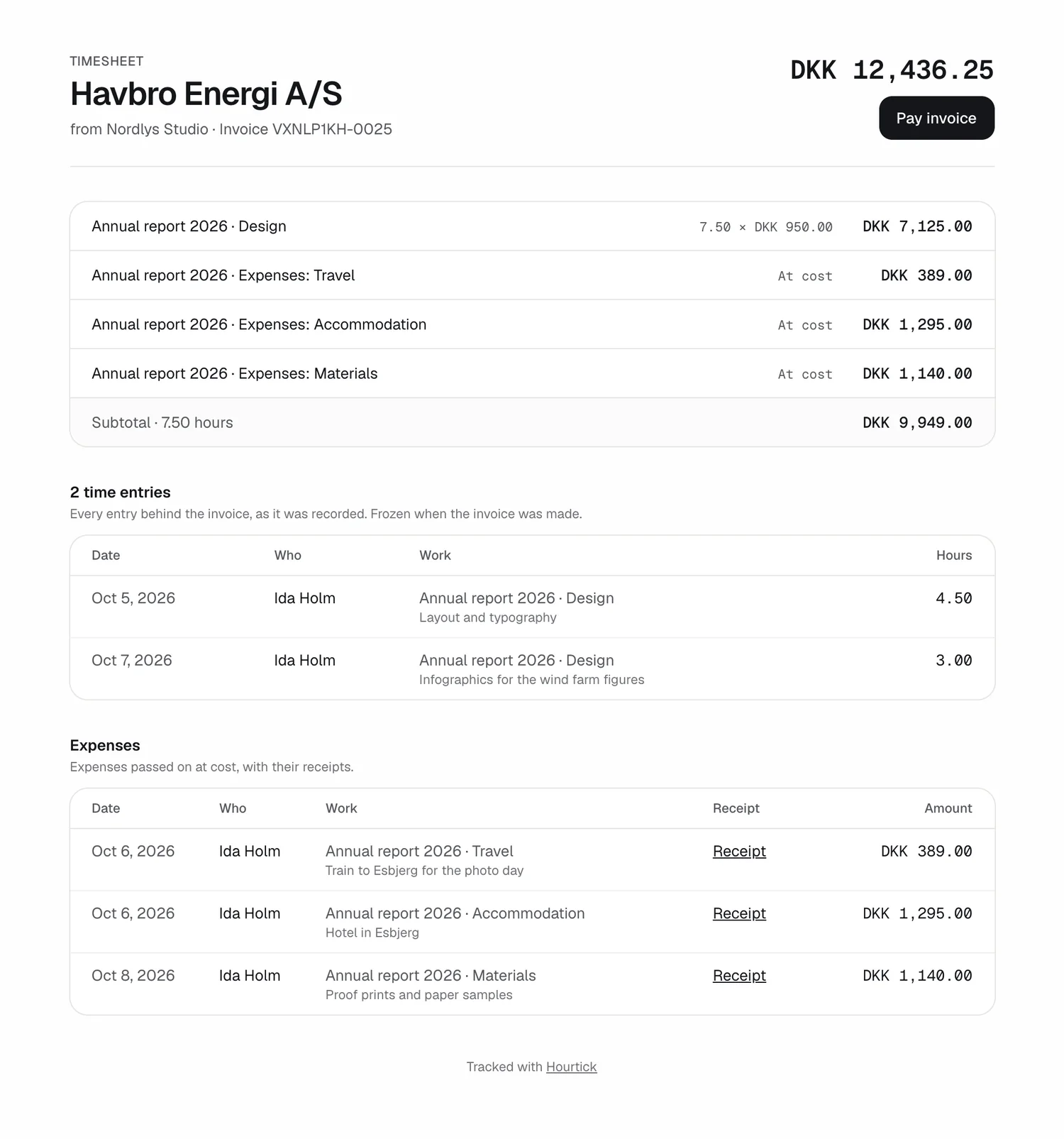
Billable expenses go on the client's next invoice, with every receipt on their timesheet page, and count in your P&L.
API and MCP
Your AI assistant can file it too
Six MCP tools log, list, change and delete expenses, attach receipts, and look at one to check the amount. The REST API takes the expense and its photo in one request.
Developer docs→ log_expense
{ "task": 8, "amount": 389, "category": "Travel", "notes": "Train to Esbjerg" }
←
Logged DKK 389.00 on Brand refresh (#8) for 2026-10-19, billable.
curl https://hourtick.com/api/v1/expenses \
-H "Authorization: Bearer $HOURTICK_TOKEN" \
-F projectId=… -F amount=389 -F category=Travel \
-F [email protected]
Real screenshots of Hourtick, from demo workspaces. The receipts are made up.
What's new
- Add expense in the Mac menu bar timer starts from the project and task you're timing; paste a photo of the receipt with ⌘V, or pick a photo or PDF
- Receipts as JPEG, PNG, HEIC (straight from an iPhone), WebP or PDF, up to 25 MB each
- Every project and client has an Expenses tab: totals, what's billable, which receipts are missing, and each expense with its receipt, task and person
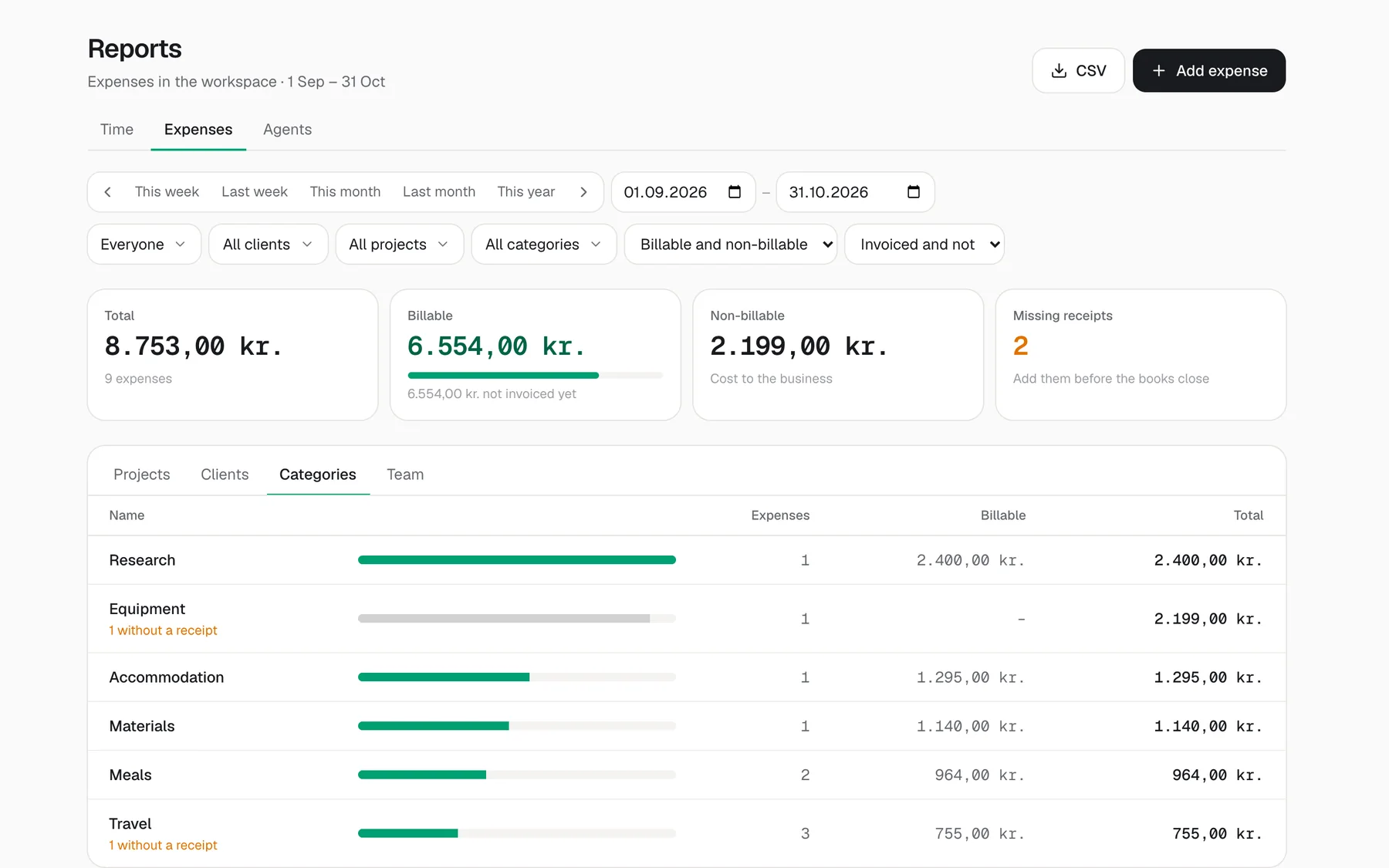
- Reports → Expenses: any period, filtered by person, client, project, category, billable or invoiced, grouped by project, client, category or person, and exported as CSV
- Billable expenses go on the client's invoice through your Stripe account at cost, and the client sees every receipt on the invoice's timesheet page
- Once invoiced, an expense is locked until the invoice is voided, so it's never billed twice or changed after the fact
- The P&L counts every expense as cost, and billable ones as revenue too, so a project's margin includes the travel
- The REST API and six MCP tools let a script or an AI assistant log expenses, attach receipts and read them back
Money spent on a client's work used to live in a pile of receipts and a spreadsheet at the end of the month. Now it goes into Hourtick when you spend it. In the Mac menu bar timer, Add expense opens a short form that already knows the project and the task you're timing. Type the amount, pick a category such as Travel or Meals (or write your own), and paste the photo of the receipt with ⌘V, or pick a photo or a PDF from Finder. Save, and it's on the project, under that day's time. On the web, every project and client has an Expenses tab, where you can also drop a receipt on the page to start a new expense, and Reports has an Expenses report for any period.
Each expense belongs to the person who paid, on a project and optionally a task, in your workspace's currency. Categories are free text, with your team's own words suggested first. On a billable project an expense is billable unless you say otherwise; on a non-billable project it never is. Members see and change their own expenses, managers and admins see everyone's, and Reports shows which ones still need a receipt before the books close. Amounts can be typed the way you write them, 1.295,50 or 1,295.50.
When you invoice a client through your Stripe account, their billable expenses follow the hours on the same invoice, passed on at cost and grouped like the time, or one line each. The client's timesheet page lists every expense with a link to its receipt, so they can check it without an account. Sending locks the expenses, and voiding the invoice releases them. Admins see expenses in the P&L: every expense is a cost, and billable ones also count as revenue. Your AI assistant can do the paperwork too: log_expense files one with the receipt, and read_expense_receipt looks at a photo to check the amount. Update the menu bar timer to 0.1.9 to get Add expense there. Like everything in Hourtick, expenses are on every plan; receipts count toward your workspace's storage like other files.
More in Billing
Track your first hour in a minute.
Free for your whole team, forever. Every feature included.