Readable notes in Reports, split an entry in two, log time for a teammate, and bill an agent's time as a team member
Notes in Reports now wrap, expand and can be edited in place, and Reports never scrolls sideways. You can split an entry into two parts with their own task type, log time on a teammate's timesheet, and choose which team member an AI agent's hours are billed as on the time reports and invoices your clients get.
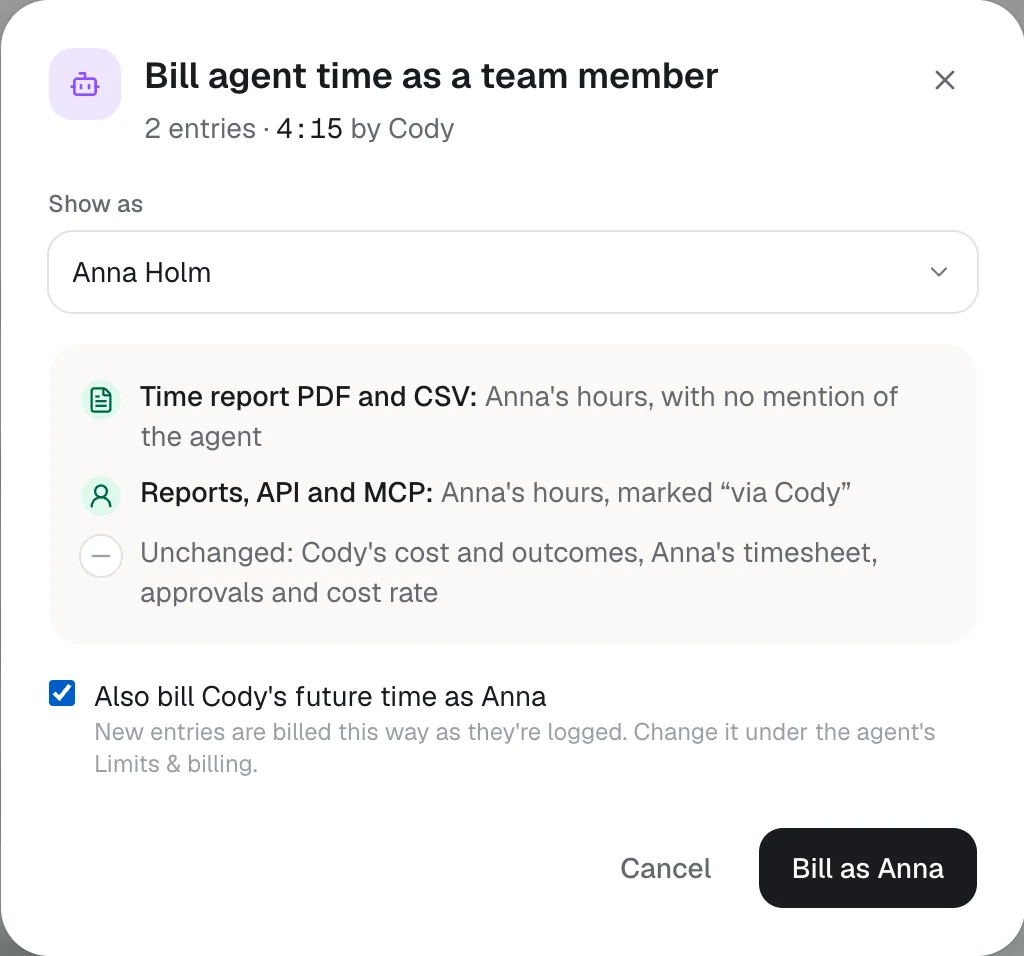
What your client gets
The time report PDF, the CSV and invoices show Anna's hours, with no mention of the agent.
Inside Hourtick
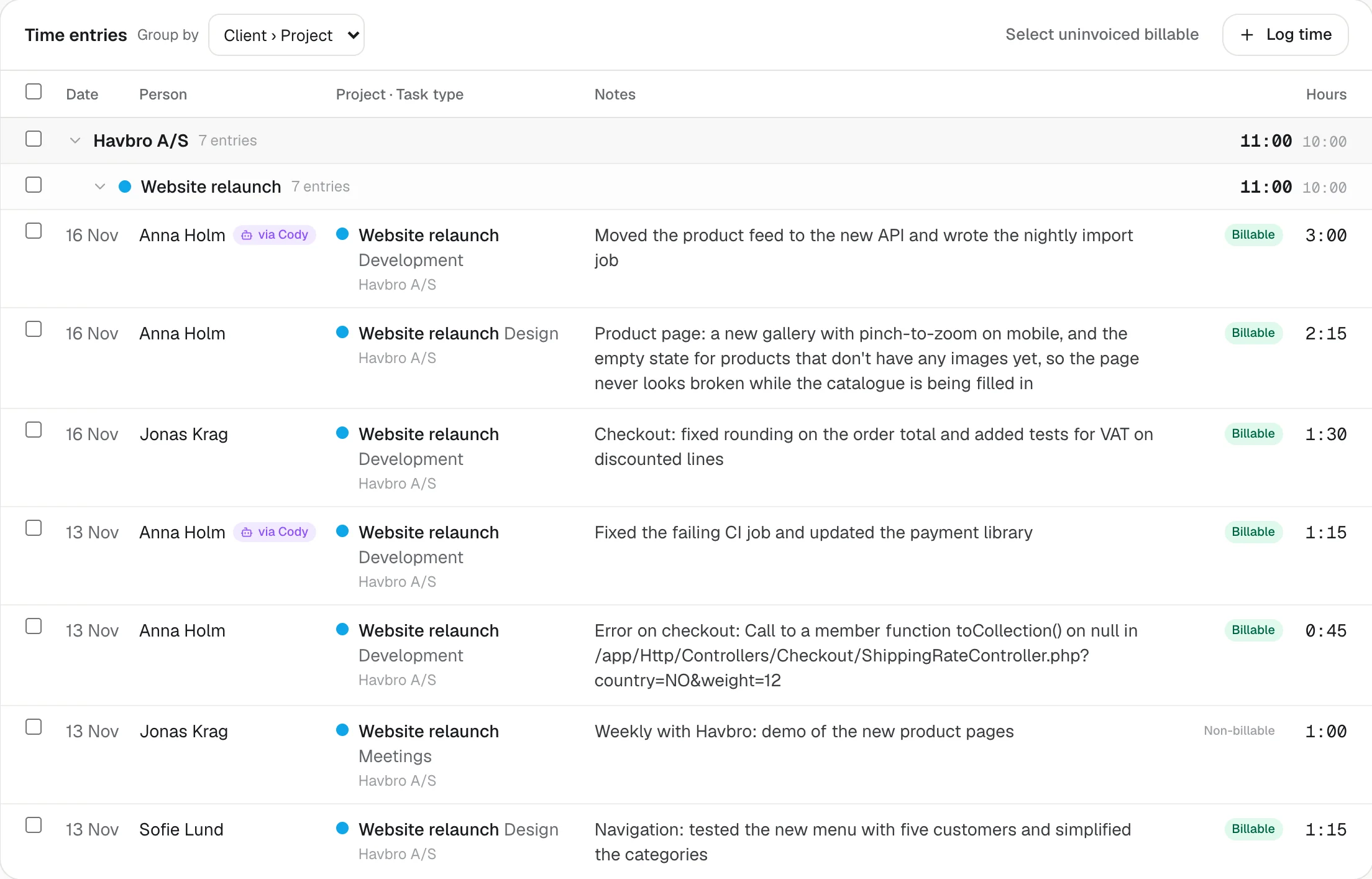
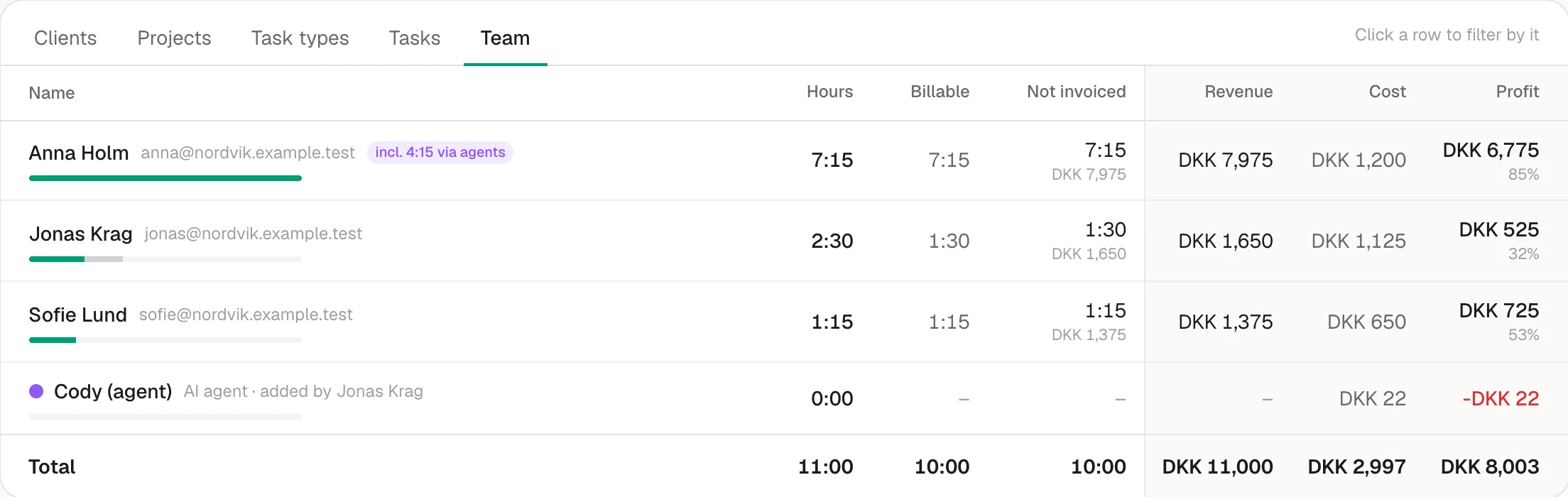
Reports, the API and MCP show Anna's hours too, marked “via Cody”, so it's always clear where they came from.
What doesn't change
Cody's cost and outcomes stay its own, and Anna's timesheet, approvals and cost rate aren't touched.
What's new
- Reports: notes wrap and show up to three lines, with Show more for long ones, so you can read them without opening each entry
- Reports: click a note to edit it in place, in a box that grows with the text (Enter saves, Shift+Enter for a new line, Esc cancels)
- Reports: long words, paths and links wrap inside the notes, and Reports never scrolls sideways on a phone, tablet or desktop
- Reports: on smaller screens, the date, person and project move into a line above the note, so the hours stay in view
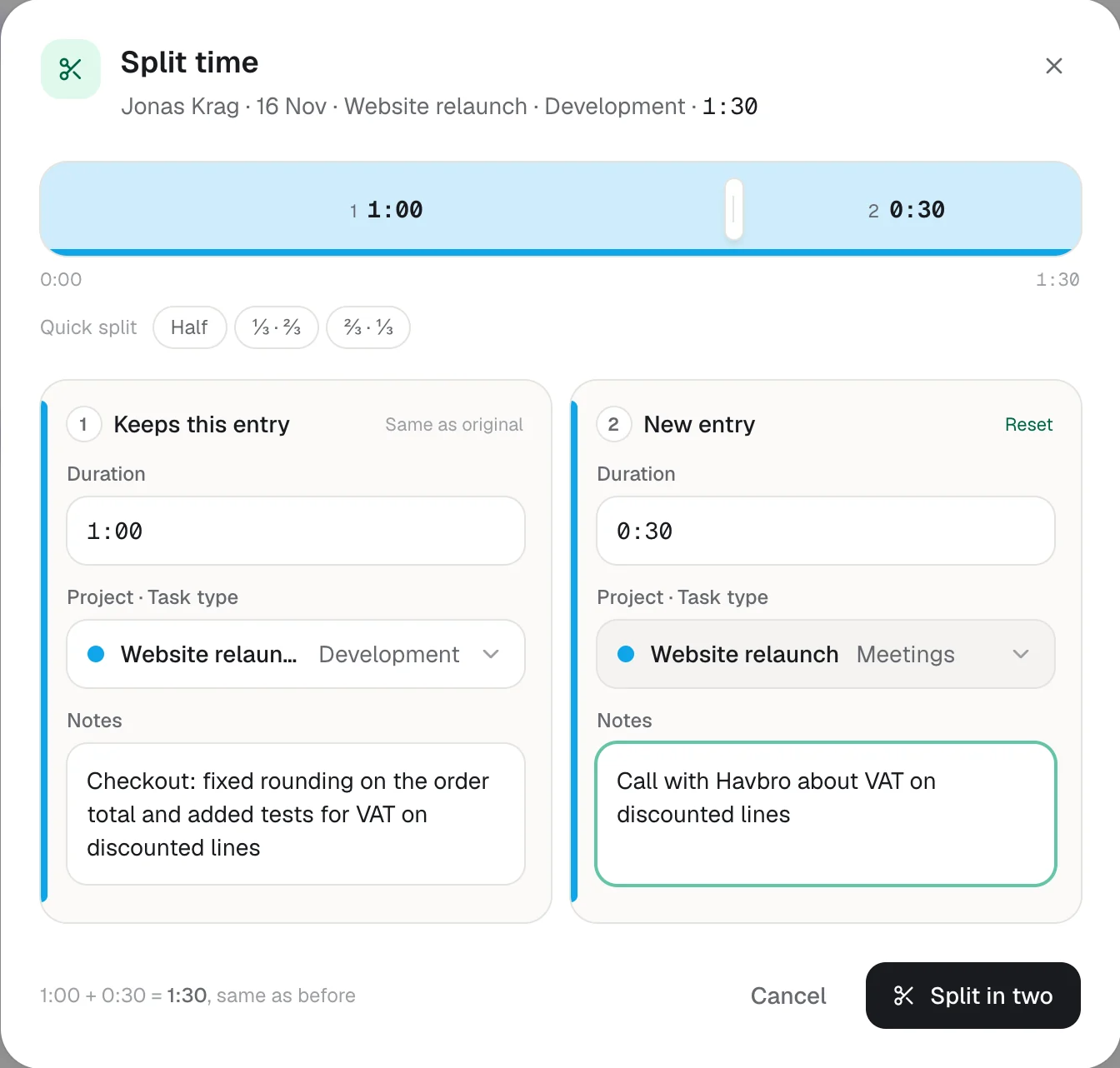
- Split an entry in two: drag the split or type either duration, give each part its own project, task type and notes, and the total stays exactly the same
- Split from your timesheet (with Undo) or from Reports; the first part keeps the original entry
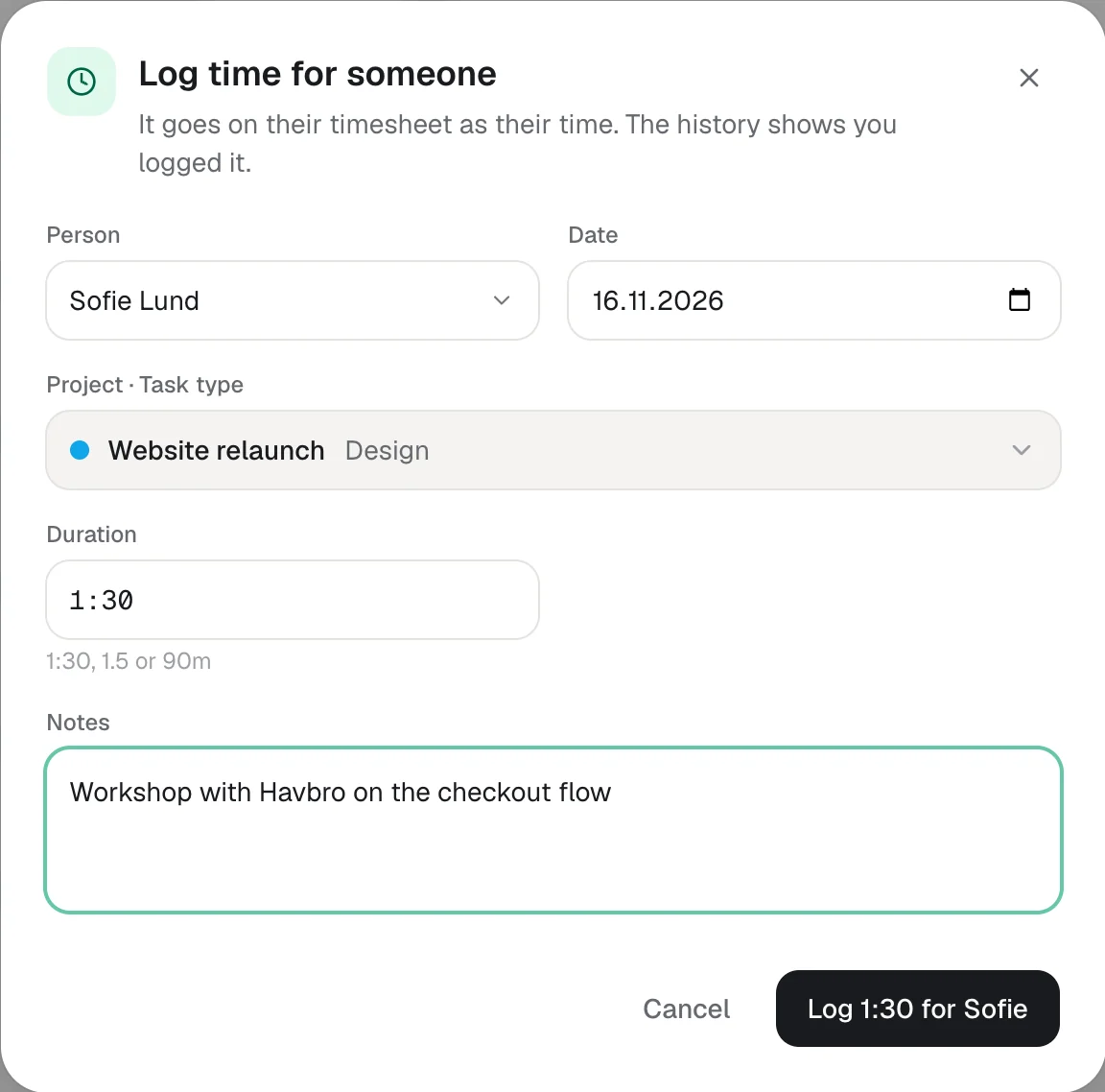
- Log time for a teammate from Reports: owners and admins can, and managers an admin allows; it goes on their timesheet, and its history shows who logged it
- Bill an AI agent's time as a team member: the PDF, CSV and invoices your client gets show that person's hours, while Reports, the API and MCP mark them "via" the agent
- Set it on selected entries, or once per agent under its Limits & billing so new time follows; the agent's cost and outcomes stay its own, and the person's timesheet and cost rate aren't touched
- AI assistants: bill_agent_time_as sets it over MCP, and get_report says how much of a person's hours came from agents
Reports is where you check what the team did, and the notes are the part that says it. Until now they were cut to one line in a narrow column, and editing one meant typing into a field that scrolled the start of the note out of view. Now the Notes column takes the room that's left, a note wraps and shows up to three lines with Show more for the rest, and clicking it opens a box that grows with the text. Long words, file paths and links wrap too, so one long error message can't stretch the table, and Reports doesn't scroll sideways at any width: on a phone or tablet, the date, person and project fold into a line above the note, and the summary table shows the columns that matter most first.
Some entries hold two kinds of work: an hour where the first half was development and the rest a client call. Split turns it into two entries in one step. The entry is drawn as a bar you can drag, with quick splits for half or a third, and two cards where each part gets its own duration, project, task type and notes. Change one duration and the other follows, so the total stays exactly what it was, to the second. It's in your timesheet next to Duplicate, with Undo, and on every row in Reports for managers.
When someone forgets a meeting or a team lead books a workshop for the group, owners and admins can now log the time for them from Reports, and managers can too when an admin ticks it for them on the Team page. It lands on that person's timesheet with the same rules as their own: billable from the project and task type, and closed weeks stay closed. The entry's history shows who logged it.
AI agents log real, billable work in Hourtick, but many clients are billed per person. Owners and admins can now choose which team member an agent's hours are billed as. The client sees that person's hours on the time report PDF, the CSV and invoices, while inside Hourtick the time is marked "via Cody", so it's always clear where it came from. Only how the time is shown changes: the agent's cost stays on the agent, so your profit stays honest, and the person's own timesheet, approvals and cost rate are untouched. Select entries in Reports and choose Bill as, or set it once on the agent under Limits & billing and its new time follows. As always, all of it is included on every plan.
More in Time
Track your first hour in a minute.
Free for your whole team, forever. Every feature included.